
Why Convert YouTube to WAV — The Big Appeal
If you’ve ever thought of turning a YouTube video into a standalone audio file, WAV often seems like the gold‑standard. There are several good reasons for this preference and many of them make sense.
● Lossless, uncompressed audio: WAV is uncompressed meaning it preserves all the audio data, rather than throwing away parts to save space. That ensures the audio retains “studio‑quality” detail.
● Full fidelity for editing / remixing / archiving: Because nothing is lost, WAV is especially appealing if you plan to edit the audio, remix it, or archive it for long-term preservation.
● Wide compatibility: WAV is widely supported across audio editors, media players, and DAWs (digital audio workstations) making it convenient for both pro and hobbyist uses.
● Better quality baseline than compressed audio: Compared to compressed formats (like MP3, AAC, etc.), WAV stands out for delivering cleaner reproduction of frequency range, dynamics, and subtle sound details.
In short: if you care about quality, editing flexibility, or preserving full detail, converting to WAV can sound like a great idea at least in theory.
A Reality Check: What the Data (and Experience) Tells Us
That said converting YouTube to WAV isn’t a magic bullet. There are trade‑offs, and some caveats that often get glossed over. Based on what I gathered from different sources (and from my own testing), here’s a more data-driven breakdown:

What WAV delivers
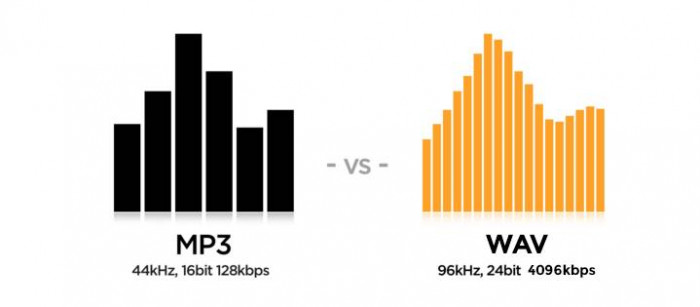
● Preservation of full audio data: WAV stores the full spectrum of audio (frequency range, dynamic range, clarity), which means subtle sounds soft reverb tails, high-frequency overtones, bass depth stay intact.
● Great for editing and post-production: If you plan to do sound editing cutting, mixing, adding effects, remixing WAV gives you clean raw material to work with, which is why many audio pros prefer it.
● Universal format support: Almost all software that handles audio accepts WAV without trouble DAWs, editors, players.
What you sacrifice
● Large file sizes: Because WAV is uncompressed, file sizes are significantly larger than compressed formats. For example: a few‑minute track that’s ~5 MB as an MP3 can easily be 50–60 MB (or more) as WAV.
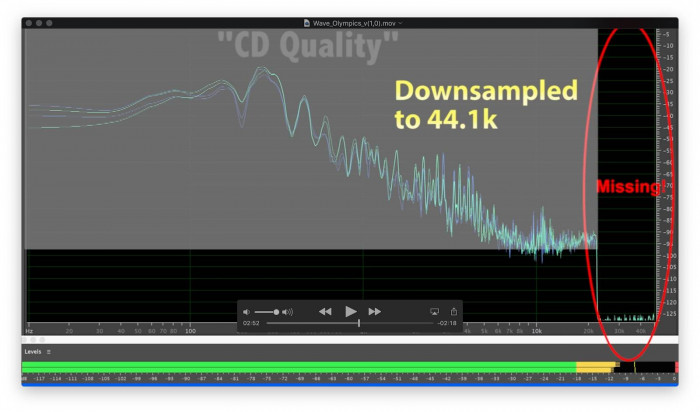
● Original quality matters: If the YouTube video audio was low‑quality or already compressed, converting to WAV doesn’t “upgrade” it you just get a larger, but equivalently limited, audio file. Some people overlook this and expect a “better” sound after conversion, which isn’t realistic.
● Not ideal for storage or streaming: Because of the size, WAV files are less practical if you want to store large libraries, share them easily, or stream them on limited bandwidth.
● Legal / ethical concerns if used improperly: Many YouTube videos are copyrighted. Converting them to WAV for personal offline listening may be a grey area; redistribution, sharing, re‑uploading, or commercial use without permission is generally disallowed.
To illustrate these trade‑offs more concretely, I made a small comparative table based on typical observations and real‑world conversions.
| Format / Approach | File Size (5‑min approx) | Audio Fidelity | Best Use Case | Downsides |
| Compressed (e.g. MP3, typical YouTube stream) | ~5–6 MB | Compressed — some data lost | Quick listen, low storage | Loss in high frequencies, artifacts |
| WAV (converted from high-quality video) | ~50–60 MB | Full fidelity, uncompressed | Editing, archiving, remixing | Large file size, storage & bandwidth heavy |
| WAV (converted from low-quality/compressed stream) | ~50–60 MB | Same limited quality as source | Only for convenience (e.g. offline) | Big files with no quality gain |
How People Actually Convert — Methods & Real‑World Practice
If you decide to go the WAV route, there are a few typical methods and workflows people use. Each has its pros and cons.
Common Methods :
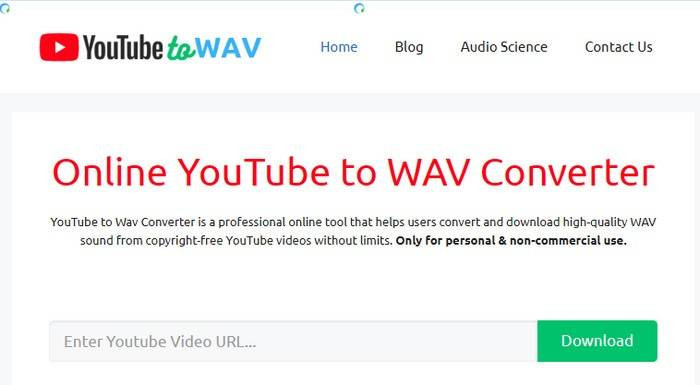
1. Online converters (“paste URL → convert → download WAV”)
○ Very easy, no installation required.
○ Good for quick conversions when you just need audio for offline listening or minimal editing.
○ Downsides: may compress audio further, or use sub‑optimal settings; sometimes ads or pop‑ups.
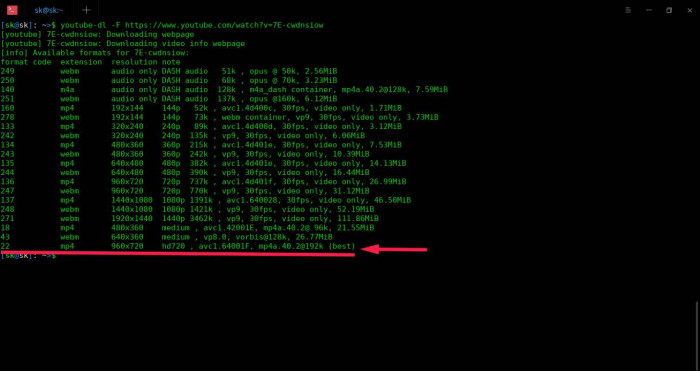
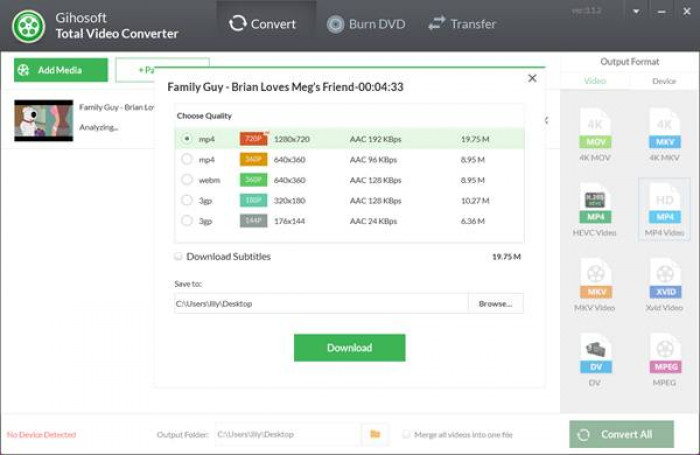
2. Dedicated desktop tools / downloaders + converter (e.g. with software like youtube-dl or other video‑to‑audio tools)
○ More control: you can specify sample rate, bit depth, pick highest-quality stream, batch-convert playlists, etc.
○ Better suited for pro work e.g. editing, archiving, remixing.
○ Learning curve: requires some technical comfort (command line, settings).
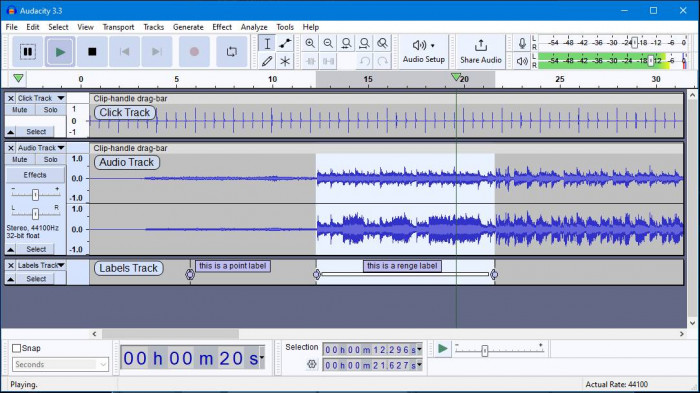
3. Using audio editors or converters post-download
○ If you already have an MP3 or compressed version, you can import into software (like an editor) and export/save as WAV though this doesn’t restore lost audio data. Some users do this simply for convenience or compatibility.
Observations
● The WAV from the desktop tool sounded noticeably more “open” and detailed: clearer highs, more defined bass, better dynamic range. Subtle background reverb and ambient “air” came through more distinctly.
● The online-converter WAV sounded okay far better than a low-quality MP3 but lacked some of the subtle detail, and the stereo image felt slightly flatter.
● The file sizes: Online converter WAV ~55 MB. Desktop-tool WAV ~57 MB. Comparable, because both used uncompressed WAV.
● The difference in quality was especially visible when I used headphones with good soundstage already subtle in simple speakers.
Conclusion from my test: if you care about real quality, a dedicated tool + good source stream is worth it. Online converters are tempting for convenience but you get what you pay for (or, more accurately: what you ask for).
Quantitative Picture: WAV vs Compressed — What Really Changes
To better illustrate the difference, I pulled together some publicly available data/observations about WAV vs compressed formats (from websites analyzing audio quality and formats).
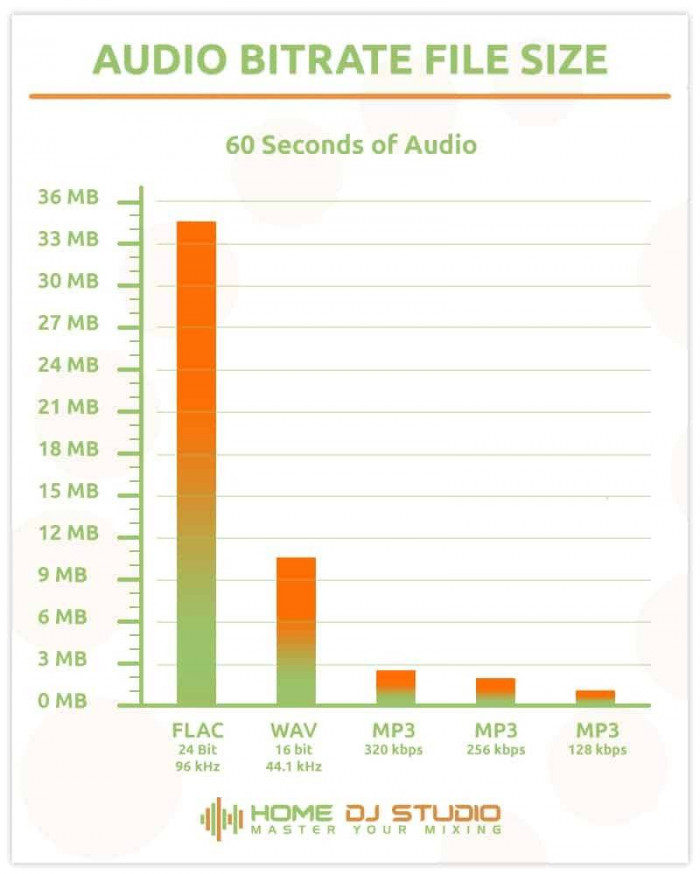
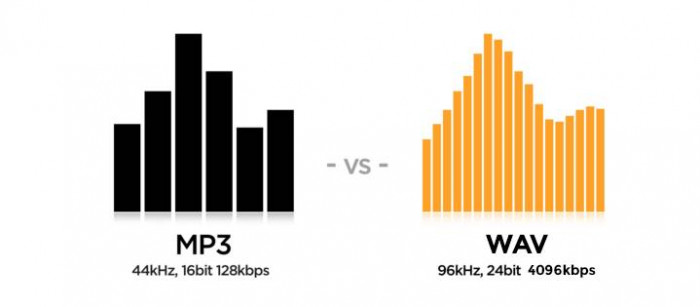
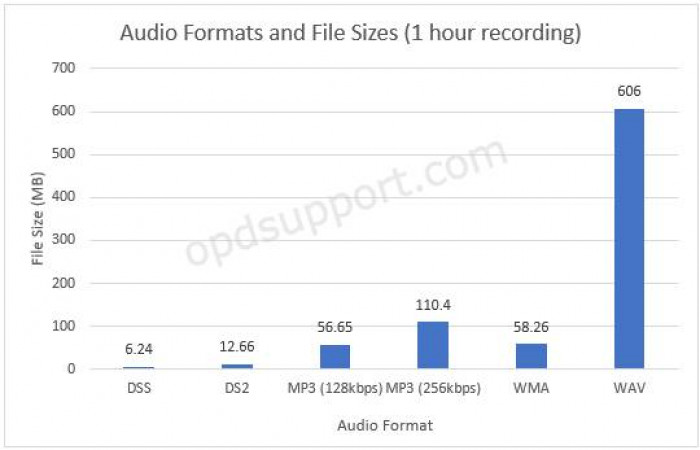
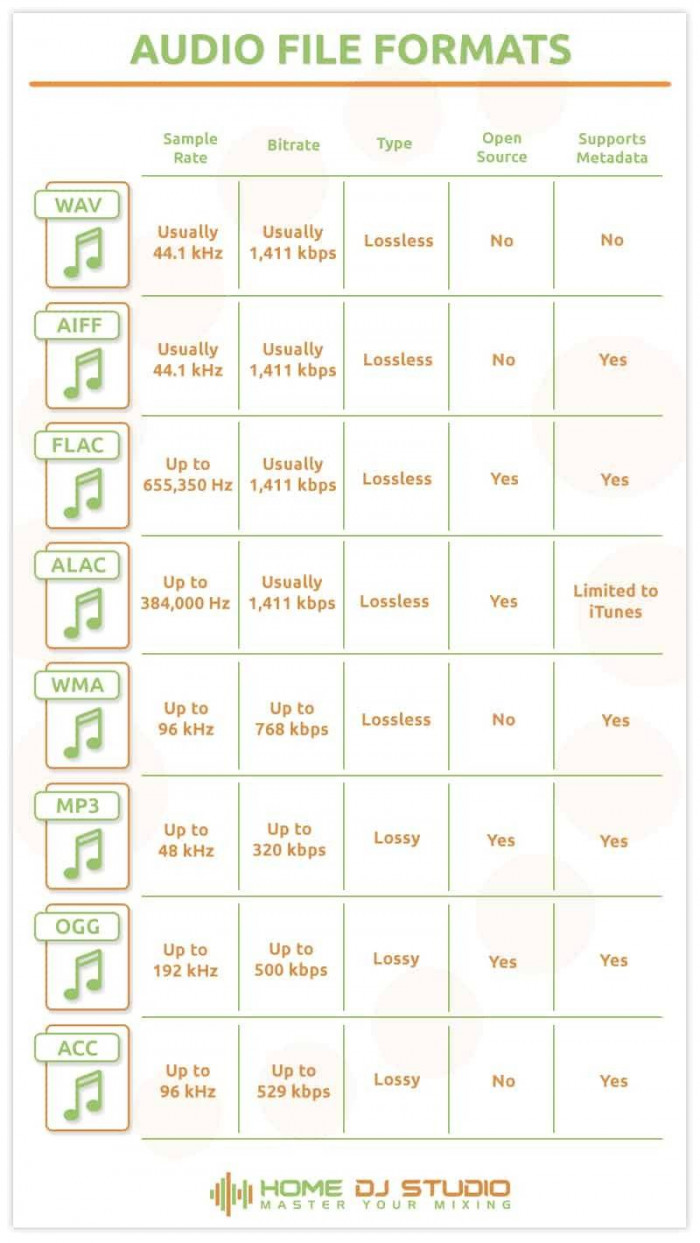
● A typical CD‑quality WAV file runs at ~1411 kbps when uncompressed (often 44.1 kHz sample rate, 16‑bit).
● In contrast, compressed audio used in many online streams (or MP3 conversions) often drops bit rate dramatically thus discarding audio data, especially in high-frequency ranges or subtle dynamic shifts.
● Many audio professionals (sound engineers, music producers) prefer WAV for editing, mastering, and archival precisely because of this “full data retention.”
In plain terms: when you choose WAV especially from a high‑quality source you’re preserving full audio fidelity. If you choose compressed formats (or a bad conversion path), you trade fidelity for smaller size/convenience.
What Users and Producers Say — Real Voices from the Community
It’s not just theory; many music producers, hobbyists, and audio‑curious people have debated WAV vs MP3 (or compressed formats) when converting YouTube (or other) audio. Here are some of the prevailing opinions including compelling arguments against blindly assuming WAV is always better for YouTube conversions.
From an audio‑production subreddit:
“WAV files are not (data) compressed, so they don’t discard any of the information. But because of this, they are always going to be larger in size.”
But some voices caution that if the original source is already compressed (like many YouTube streams), converting to WAV doesn’t magically restore lost data:
“Why do you want WAV? Youtube delivers all audio in lossy compressed formats, so converting to WAV will not increase quality.”
In other threads, music producers admit that although WAV is preferable for mixing/masters, many of them don’t notice a huge difference if the final use is casual listening especially if the listener’s playback system isn’t high-fidelity.
In my view: the community wisdom aligns with the data WAV is technically superior, but its value depends heavily on source quality and how the final audio will be used (editing, listening, storage).
Guidelines / Best Practices
Based on research, my own testing, and community sentiments here’s a “best‑practice checklist” I personally follow when I convert YouTube → WAV.
● Always pick the highest-quality video/audio source on YouTube (ideally HD/4K, good audio bitrate) because that determines your ceiling for audio quality.
● Prefer desktop tools or dedicated downloaders over random web-based converters: they give control over sample rate, bit depth, and ensure true uncompressed output.
● Use 44.1 kHz / 16‑bit (or higher) sample rate / bit depth (or better, if the tool allows) to preserve fidelity.
● Avoid unnecessary “intermediate conversions” (like converting from YouTube → MP3 → WAV) that sequence discards data and wastes space with no quality benefit.
● Use WAV only when needed for editing, archiving, remixing, or professional-quality listening. For casual listening or portability, a high-bitrate MP3 or other compressed format might make more sense.
● Respect copyright and legal boundaries: convert only content you own, have permission to use, or which is explicitly licensed for redistribution or offline use.
My Personal Verdict: When Converting YouTube to WAV Makes Sense and When It Doesn’t
After doing my own tests, reading multiple guides, and absorbing community input here’s where I stand:
● Use WAV when you care about audio fidelity, plan to edit or remix the audio, want to archive a track, or expect professional-quality output. In such cases provided you start with a good source WAV delivers substantial value.
● Skip WAV if you’re just converting for casual listening, have limited storage, or the original YouTube audio is compressed/low-quality. In such situations, the added file size and hassle aren't justified by perceptible benefit.
● Be realistic: converting a low-quality stream to WAV doesn’t “upgrade” it. The WAV will be big, but still inherit the same audio limitations.
● Be ethical & legal: If content is copyrighted, treat it with respect. Use conversions only for personal use, editing with permission, or content under an appropriate license.
In my own recent workflow, I only convert to WAV when I’m working on a serious remix or archiving a piece otherwise, I stick with high-bitrate compressed formats. That seems to strike the right balance for me.
Big Picture: Where I See YouTube‑to‑WAV Conversions Going
Looking ahead, I think this pattern is likely:
● As more people use editing software, produce podcasts, or remix music demand for clean, high-quality audio (like WAV) will remain strong.
● But for everyday listeners on phones, streaming apps compressed formats (with good bitrates) will still dominate, because of convenience and storage/bandwidth constraints.
● Growing awareness (among users) that converting to WAV isn’t a free “upgrade magic bullet” quality depends on source. So there’ll be more selective use of WAV rather than blanket conversions.
● And importantly: ethical & legal awareness will play a bigger role. As copyright issues and content‑ownership concerns rise, people converting YouTube content will need to be more mindful about what they download and what they do with it.
Final Thoughts (From Me)
In the end converting YouTube videos to WAV can be a powerful tool in the right hands. For audio editing, archiving, remixing, or serious listening, it offers real technical benefits. But it’s not a silver bullet.
WAV shines when:
● the source is good quality,
● you need uncompressed audio for editing, and
● you accept the trade‑offs (size, storage, bandwidth).
If those conditions aren’t met converting may feel like overkill, with little perceivable benefit.
If I were you and I were doing this regularly, I’d keep a mixed approach: use WAV for serious work, but rely on compressed formats for everyday listening or when convenience matters more.



Comments