
Choosing between ClickUp and Asana is not just about features. It is about how your team thinks, plans, and executes work. Freelancers may prioritize flexibility and cost. Managers often care about visibility and reporting. Larger teams need permissions, scalability, and automation depth.
Both ClickUp and Asana are mature project management platforms, but they approach productivity from different angles. ClickUp positions itself as an “all in one work platform” with extensive customization. Asana focuses on clarity, structure, and streamlined collaboration. This comparison breaks down their positioning, features, pricing, strengths, weaknesses, and real-world use cases so you can decide based on your workflow, not marketing claims.
Purpose & Positioning
ClickUp
1. Marketed as an all in one productivity and project management platform
2. Highly customizable workspace with modular features
3. Designed for teams that want everything in one system
4. Strong appeal for operations-heavy or process-driven teams
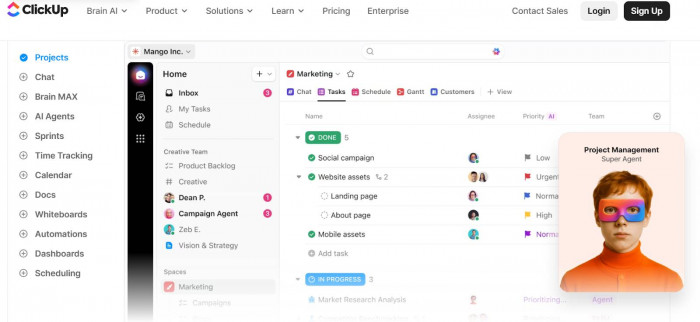
ClickUp is built around flexibility and consolidation. It attempts to replace multiple tools by combining tasks, docs, goals, time tracking, dashboards, and automation into one ecosystem. This makes it especially attractive to teams that want granular control over structure and workflows. However, that flexibility can introduce complexity.
Asana
1. Structured project and task management platform
2. Focuses on clarity, collaboration, and workflow visibility
3. Known for clean UI and intuitive user experience
4. Popular among marketing, product, and cross-functional teams
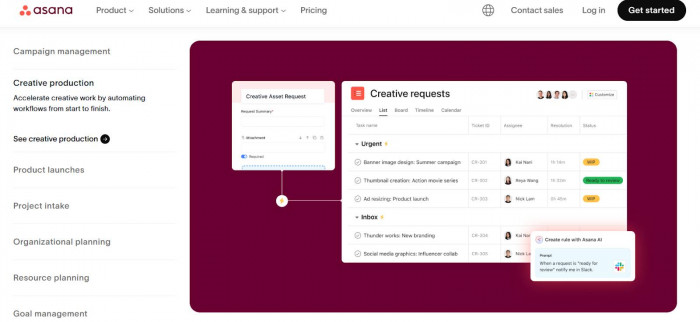
Asana positions itself as a collaborative work management tool designed to make projects clear and trackable. Its interface emphasizes simplicity and visual clarity, helping teams quickly understand priorities and progress. Compared to ClickUp, Asana feels more guided and less configurable, which many teams appreciate.
Core Features
ClickUp
1. Multiple views: List, Board, Gantt, Calendar, Timeline, Mind Map
2. Built-in Docs, Whiteboards, Goals, and time tracking
3. Advanced automations with conditional logic
4. Custom dashboards with detailed widgets
5. Extensive integrations (Slack, Google Workspace, GitHub, Zapier, etc.)
ClickUp offers one of the broadest feature sets in the market. Teams can build highly customized workflows using statuses, fields, automations, and nested hierarchies. Its dashboards allow detailed reporting across spaces and projects. The tradeoff is that setup can take time, and new users may feel overwhelmed initially.
Asana
1. List, Board, Timeline, and Calendar views
2. Task dependencies and workload management
3. Workflow automation builder
4. Reporting dashboards and portfolio tracking
5. Integrations with Slack, Google Drive, Microsoft 365, Salesforce, and more
Asana focuses on structured task and project workflows rather than deep system customization. Timeline and dependency tracking are strong features for project planning. Automations are accessible and easy to configure, but less granular than ClickUp’s conditional logic. Its dashboard tools are effective for team visibility without excessive complexity.
Pricing & Plans
ClickUp
1. Free plan with unlimited tasks and members (feature limits apply)
2. Unlimited plan at a lower per-user monthly cost
3. Business and Business Plus tiers with advanced automation and reporting
4. Enterprise plan with advanced security and permissions
ClickUp’s free plan is generous in task limits, making it appealing to small teams. Paid plans scale based on advanced features like automation limits and advanced reporting. It is often seen as cost-effective for teams needing high customization at a moderate price point.
Asana
1. Free plan for small teams with limited advanced features
2. Starter and Advanced tiers for workflow automation and reporting
3. Enterprise and Enterprise Plus for compliance and security
4. Pricing generally higher per user compared to ClickUp
Asana’s pricing scales quickly as you move into automation and portfolio management features. While its free plan works for basic collaboration, many business-critical features sit behind paid tiers. Larger organizations may justify the higher cost due to its usability and reliability.
Strengths
ClickUp
1. Extreme customization flexibility
2. Comprehensive feature ecosystem
3. Strong dashboard and reporting tools
4. Built-in time tracking
ClickUp excels when teams need control and depth. Operations teams, engineering groups, and agencies often appreciate its ability to adapt to complex workflows. Its dashboard and automation depth allow for powerful process management.
Asana
1. Clean, intuitive user experience
2. Excellent timeline and dependency tracking
3. Strong collaboration features
4. Easy onboarding for non-technical users
Asana’s greatest strength is usability. Teams can adopt it quickly without extensive training. Its visual timelines and workload tools are especially useful for project managers coordinating cross-functional initiatives.
Limitations
ClickUp
1. Steeper learning curve
2. Interface can feel cluttered
3. Performance complaints in very large workspaces
4. Setup time required for optimal structure
ClickUp’s flexibility can become overwhelming. Teams that prefer plug and play systems may struggle with configuration decisions. Some users report performance lag in large workspaces, especially when dashboards and automations are heavily used.
Asana
1. Higher pricing for advanced features
2. Less customization depth
3. Limited built-in documentation tools compared to ClickUp
4. Automation less granular
Asana trades customization for simplicity. Teams that require advanced conditional logic or deeply customized task hierarchies may find it limiting. Cost can also be a concern for startups or small agencies scaling quickly.
Best Use Cases
ClickUp
1. Agencies managing multiple client workflows
2. Operations and engineering teams
3. Businesses replacing multiple tools with one platform
4. Teams needing advanced automation and reporting
ClickUp works best when workflows are complex and require flexibility. It suits process-driven environments where dashboards, custom fields, and automation logic drive efficiency.
Asana
1. Marketing teams running campaigns
2. Product managers tracking timelines
3. Cross-functional corporate teams
4. Organizations prioritizing clarity and ease of use
Asana is ideal for teams that value clarity over customization. If your priority is coordination across departments without technical setup friction, Asana often provides a smoother experience.
Feature Comparison Table
| Feature | ClickUp | Asana |
| Task Views | List, Board, Gantt, Timeline, Mind Map | List, Board, Timeline, Calendar |
| Gantt Charts | Available in paid tiers | Available in paid tiers |
| Automation | Advanced conditional logic | Rule-based automation builder |
| Dashboards | Highly customizable widgets | Clean reporting dashboards |
| Time Tracking | Built-in | Requires integrations or higher tiers |
| Permissions | Granular hierarchy control | Structured team-based permissions |
| Mobile UX | Feature-rich but dense | Cleaner and easier to navigate |
| Docs | Built-in Docs & Whiteboards | Basic project notes and attachments |
| Integrations | Extensive | Extensive |
Real-World Scenarios
Scenario 1: Growing Marketing Agency
If an agency manages multiple clients with custom workflows, ClickUp may be preferable due to flexible statuses, dashboards, and automations.
Scenario 2: Corporate Product Team
If a product team needs clear roadmaps and structured collaboration without heavy customization, Asana’s timeline and simplicity often work better.
Scenario 3: Freelancer or Small Startup
ClickUp’s free plan offers more depth for zero cost, but Asana may feel easier to adopt quickly without setup time.
Scenario 4: Enterprise Environment
Both offer enterprise tiers, but Asana is often chosen for compliance and large-scale cross-department coordination, while ClickUp suits operational depth.
Conclusion & Recommendation
Choose ClickUp if your team values customization, automation depth, and replacing multiple tools within one platform. It is especially strong for agencies, operations teams, and businesses with complex workflows.
Choose Asana if your priority is usability, clean project visibility, and fast team adoption. It works well for marketing teams, product managers, and organizations that want structured collaboration without extensive configuration.
The best choice depends on team size, budget, workflow complexity, and appetite for customization. ClickUp offers power and flexibility. Asana offers clarity and simplicity. Your workflow style should guide the decision.







Comments