
A few years ago, online learning meant watching long video lectures and Googling answers when you got stuck. In 2026, it looks very different.
Now, students can ask an AI to explain a math problem step-by-step. Teachers can generate quizzes in seconds. Lectures can be summarized automatically. Entire study plans can adjust based on your weak areas.
The biggest shift? Learning is becoming more interactive and personalized not just faster.
Instead of a simple list, this guide walks through the learning workflow and shows which AI tools help at each stage.
1. AI Tools for Studying and Homework Help
When you're stuck on a concept, speed matters. These tools act like instant study assistants.
ChatGPT
What it does (Simple Explanation)
ChatGPT is an AI assistant that explains concepts, solves problems step-by-step, and answers questions in plain language.(https://chatgpt.com/)
Real Example
A college student uploads a tricky economics question and asks for a simplified explanation. ChatGPT breaks it down with examples and even creates a quick practice question.
Why It’s Useful
Step-by-step explanations
- Can simplify complex topics
- Helps brainstorm essays
- Supports multiple subjects
Pros
- Very versatile
- Works across subjects
- Free version available
Limitations
- May occasionally give incorrect answers
- Doesn’t always show sources
Pricing
- Free tier
- Paid plans for more advanced models
Ideal Users
Students, self-learners, professionals studying new skills
Socratic by Google
What it does
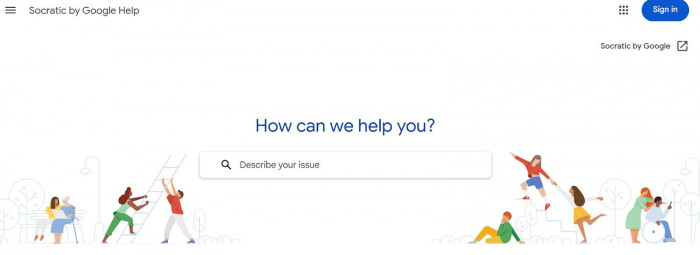
Socratic allows students to take a photo of a homework question and receive explanations and resources.(Socratic)
Real Example
A high school student snaps a picture of a chemistry equation. The app provides a breakdown and relevant concept explanations.
Key Features
- Camera-based homework scanning
- Subject-specific help
- Visual explanations
Pros
- Beginner-friendly
- Great for quick homework checks
Limitations
- Limited depth for advanced topics
- Not ideal for long-form discussions
Pricing
- Free
Ideal Users
Middle and high school students
2. AI Tools for Personalized Learning and Tutoring
These tools adapt to how you learn and where you struggle.
Khan Academy (Khanmigo)
What it does
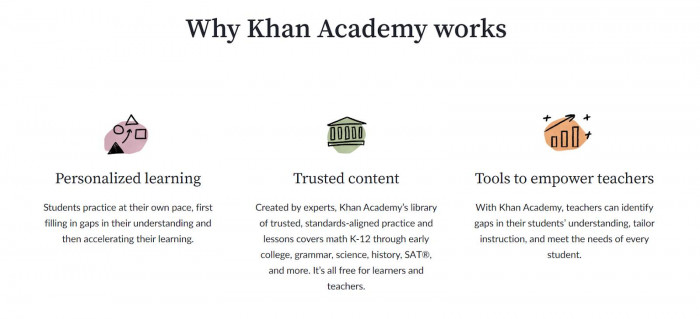
Khan Academy’s AI tutor (Khanmigo) acts like a guided tutor rather than just giving answers.(https://www.khanacademy.org/)
Real Example
A student learning algebra gets hints instead of direct solutions, helping them think through the problem.
Key Features
- Guided problem-solving
- Encourages critical thinking
- Integrated into Khan Academy lessons
Pros
- Designed for structured learning
- Encourages understanding, not shortcuts
Limitations
- Works best within Khan Academy ecosystem
- Limited outside course content
Pricing
- Free content
- AI features may require subscription in some regions
Ideal Users
Students following structured courses
Duolingo (AI-powered lessons)
What it does
Duolingo uses AI to adjust language lessons based on your performance.(https://www.duolingo.com/)
Real Example
If you consistently miss verb conjugations, it gives you more practice in that area.
Key Features
- Adaptive learning paths
- AI-generated conversations
- Speaking and listening practice
Pros
- Highly engaging
- Good for daily practice
Limitations
- Best for language learning only
- Some features locked behind premium
Pricing
- Free version available
- Premium subscription optional
Ideal Users
Language learners and beginners
3. AI Tools for Note-Taking and Lecture Summaries
Long lectures can feel overwhelming. These tools help organize information automatically.
Notion (AI)
What it does
Notion AI summarizes notes, organizes study materials, and helps rewrite messy drafts.(https://www.notion.com/)
Real Example
A university student pastes lecture notes into Notion and asks the AI to create a summary and bullet-point revision sheet.
Key Features
- Automatic summarization
- Task organization
- Study planning templates
Pros
- All-in-one workspace
- Great for organization
Limitations
- AI features require paid plan
- Not specialized for academics
Pricing
- Free basic plan
AI add-on paid
Ideal Users
College students and productivity-focused learners
Otter.ai
What it does
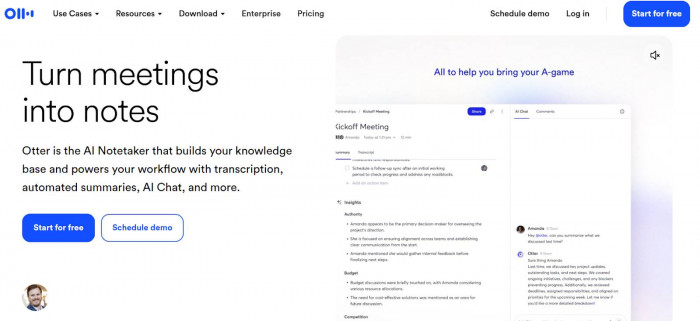
Otter records and transcribes lectures in real time.(https://otter.ai/)
Real Example
A student records an online Zoom lecture. After class, they get a searchable transcript and summary.
Key Features
- Real-time transcription
- Automatic summaries
- Keyword search
Pros
- Saves time
- Great for revision
Limitations
- Accuracy depends on audio quality
- Limited free minutes
Pricing
- Free limited plan
- Paid subscriptions available
Ideal Users
University students, remote learners, journalists
4. AI Tools for Course Creation and Teaching
AI doesn’t just help students it helps educators build better courses.
Teachable (AI tools)
What it does
Teachable uses AI to help create course outlines, lesson descriptions, and marketing content.(https://www.teachable.com/)
Real Example
An educator creates a digital marketing course and uses AI to structure modules and generate quiz questions.
Key Features
- Course outline generation
- AI quiz creation
- Sales page writing help
Pros
- Saves course creation time
- Beginner-friendly
Limitations
- Platform-focused
- Subscription required
Pricing
- Paid plans
Ideal Users
Coaches, educators, content creators
Synthesia
What it does
Synthesia creates AI-generated teaching videos from text scripts.(https://www.synthesia.io/)
Real Example
A teacher writes a script explaining climate change and generates a professional video without filming themselves.
Key Features
- AI avatars
- Multiple languages
- Script-to-video conversion
Pros
- No camera required
- Fast content production
Limitations
- Subscription cost
- Less personal than real video
Pricing
- Paid plans
Ideal Users
Online educators, training teams, course creators
5. AI Tools for Exam Preparation and Practice Tests
Practice and feedback are key to exam success.
Quizlet (AI-enhanced study tools)
What it does
Quizlet uses AI to generate flashcards, quizzes, and practice tests.(https://quizlet.com/)
Real Example
A medical student creates a set of terms, and Quizlet turns them into adaptive practice questions.
Key Features
- AI-generated quizzes
- Flashcards
- Practice test mode
Pros
- Great for memorization
- Easy to use
Limitations
- Not ideal for deep conceptual learning
- Premium features locked
Pricing
- Free basic version
- Paid premium plan
Ideal Users
Exam-focused students
Quick Comparison: Which Tool Is Best for You?
Best for Students
- ChatGPT (homework help)
- Quizlet (exam prep)
- Otter.ai (lecture notes)
Best for Educators
- Teachable (course creation)
- Synthesia (video lessons)
- Khan Academy (structured teaching support)
Best for Self-Learners
- ChatGPT (concept explanations)
- Notion AI (study organization)
- Duolingo (language practice)
What’s Next for AI in Online Learning?
In the next few years, AI learning tools will likely:
- Track progress across multiple platforms
- Offer deeper personalization
- Integrate voice-based tutoring
- Simulate real exam environments
- Combine video, chat, and adaptive quizzes into one system
Online learning in 2026 is no longer passive. With the right AI tools, it becomes interactive, personalized, and far more efficient.
The key is not to replace thinking but to use AI as a smart study partner.



Comments