
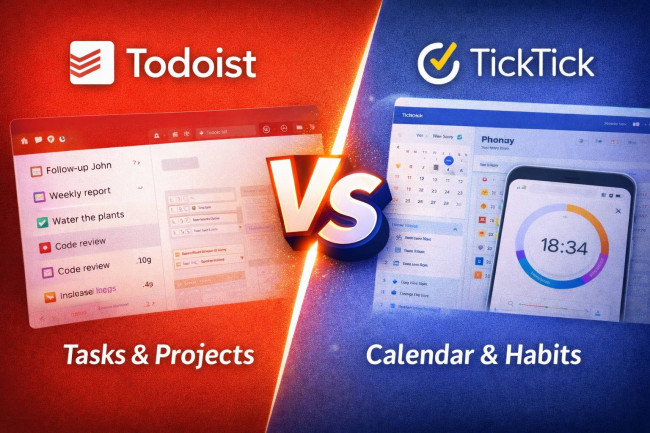
Todoist and TickTick are both popular task managers, but they are designed with different priorities. This comparison is meant to help you choose the right tool based on how you plan your day, whether you need calendar time blocking, how much you care about built-in focus features, and what you want to pay.
Todoist leans toward clean, scalable task organization with strong views, filters, and integrations, including calendar integration and a calendar layout on paid plans.
TickTick positions itself as a more all in one personal productivity hub, combining tasks with calendar views, focus tools, and habit tracking, with Premium priced at $35.99 per year.
Todoist
1. Overview & Core Concept
1. Task and project manager focused on structured to do lists and planning
2. Organizes work into projects with labels, filters, priorities, and views
3. Designed for both personal planning and team collaboration via Business workspaces
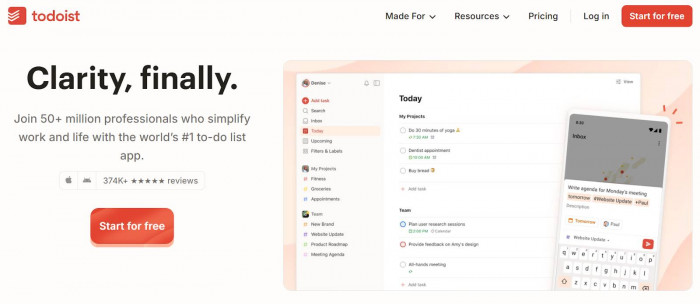
Todoist is built around the idea that tasks should be easy to capture, organize, and review across projects and time. Its core model is projects plus powerful views like lists, boards, and calendar layout, supported by filters and reminders. (todoist.com) It generally appeals to people who want a clean system that scales from personal planning to lightweight collaboration.
2. Key Features
1. List and board layouts, plus calendar layout on paid plans
2. Custom filters and labels for structured triage and planning
3. Calendar integration with Google or Outlook to view events and time block tasks
4. Reminders, recurring tasks, activity history, file uploads, and templates
5. Team features on Business plan like team workspace, roles, and centralized billing
Todoist’s strength is structured task management: it gives you multiple ways to view work (list, board, calendar) and then refine focus using labels and filters. If calendar planning matters, its calendar integration can show your Google or Outlook events inside Todoist and can sync scheduled tasks to your calendar for time blocking. For teams, Business adds a shared workspace and more governance features than personal plans.
3. Pricing Plans
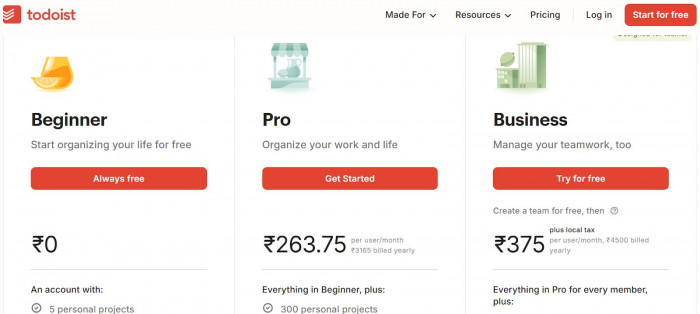
1. Free plan is available (Beginner)
2. Pro pricing update (effective renewals on or after Dec 10, 2025): $7 monthly or $60 yearly
3. Business pricing update: $10 per user per month or $96 per user per year
4. Legacy Pro pricing can apply for some users depending on subscription conditions
As of 2026 pricing, Todoist is straightforward: Free for basic usage, Pro for individuals who want the full feature set, and Business for teams. The official pricing update sets Pro at $7 per month or $60 per year, and Business at $10 per user per month or $96 per user per year for renewals on or after Dec 10, 2025. If you subscribed through certain channels or earlier periods, you may fall under legacy pricing rules.
4. Unique Advantages
1. Strong project structure with filters and labels for power users
2. Calendar integration to see events alongside tasks and time block tasks
3. Mature team plan with workspace and admin oriented features
4. Broad integration ecosystem and templates for repeatable workflows
Todoist stands out when you want a clean system that can become very powerful without feeling cluttered. Filters and labels make it easy to build focused views like “Today, work, high priority, under 30 minutes” without changing how you enter tasks. If you schedule your day, the Google or Outlook calendar integration is a key differentiator because it puts events and tasks in one planning surface and supports syncing scheduled tasks out to your calendar.
5. Known Limitations
1. Some advanced planning features like calendar layout are tied to paid plans
2. Pricing increased for Pro and Business as of the Dec 2025 update
3. Calendar integration is read only for calendar events, editing happens in Google or Outlook
Todoist’s main tradeoff is that its best planning views and higher limits sit behind Pro or Business. For price sensitive users, the 2025 pricing update may matter since Pro and Business moved up at renewal. Also, while calendar integration is useful, calendar events shown inside Todoist are read only, so edits still happen in your calendar app.
TickTick
1. Overview & Core Concept
1. Task manager designed as an all in one personal productivity suite
2. Combines tasks with calendar, prioritization frameworks, and focus tools
3. Emphasizes daily execution features like reminders and quick capture
TickTick is built around the idea that planning and execution should live in one place. Instead of only being a to do list, it bundles tasks with modules like calendar, Eisenhower Matrix, Pomodoro, and habit tracking. This approach is especially attractive for individuals who want one app that covers task capture, scheduling, and focus routines.
2. Key Features
1. Task capture shortcuts, voice add, and natural language time parsing (NLP)
2. Smart filters and tags for organization
3. Premium highlights include expanded calendar functionality, more calendar views, and subscribing to third party calendars
4. Built in modules include Calendar, Eisenhower Matrix, Pomodoro, and Habit Tracker
5. Reminder options include recurring reminders and special reminder behaviors, with some features platform dependent
TickTick’s feature set is broader than most task managers because it adds execution tools that many people otherwise install separately. The official positioning highlights modules like Pomodoro and habit tracking alongside task and calendar management, which can reduce app switching. Premium also emphasizes fuller calendar functionality and calendar subscriptions, which matters if you want your task manager to behave more like a daily planner.
3. Pricing Plans
1. Free plan is available
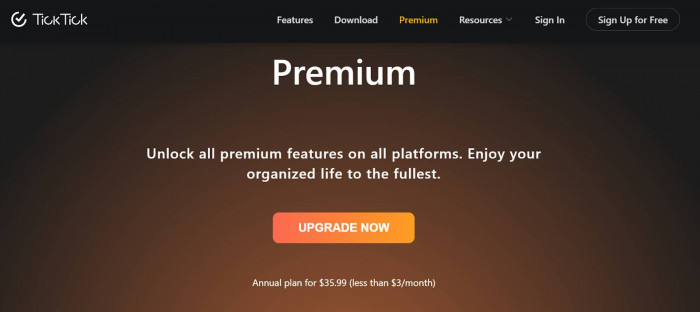
2. Premium annual plan is listed as $35.99 per year on TickTick’s upgrade page
3. Third party listings commonly show Premium monthly at $2.99 and annual at $35.99
TickTick pricing is typically simpler: Free versus Premium. The official upgrade page highlights an annual Premium plan at $35.99. If you prefer monthly billing, many software directories list Premium at $2.99 per month, though exact pricing can vary by store or region.
4. Unique Advantages
1. All in one approach: tasks plus focus and habit tools in one ecosystem
2. Strong personal execution features like Pomodoro and matrix views
3. Premium value is often seen as strong relative to feature breadth
4. Quick capture options including NLP time parsing
TickTick’s main advantage is consolidation. If you want tasks, calendar planning, a focus timer, and habit tracking without stitching together multiple apps, TickTick is designed for that style of productivity. Its quick capture and reminder tooling supports day to day execution, which can be more impactful than advanced project structure for many users.
5. Known Limitations
1. Some reminder and location features are platform specific, such as iOS only notes in feature descriptions
2. Premium is needed to unlock fuller calendar features and more advanced filters
3. Team and collaboration depth is typically lighter than tools built primarily for teams (varies by workflow)
TickTick’s tradeoffs usually show up in two places: platform differences and collaboration depth. The features page explicitly notes some reminder options are iOS only, so feature parity can depend on where you use it. Also, while Premium unlocks fuller calendar functionality and customization, users who only want a clean task list may feel they are paying for a bundle they do not fully use.
Quick Feature Comparison Table
| Feature | Todoist | TickTick |
| Core focus | Task and project organization with scalable views and integrations | All in one personal productivity with tasks plus focus and habits |
| Views | List, board, calendar layout (paid) | Multiple calendar views emphasized in Premium (TickTick) |
| Calendar integration | Google or Outlook events alongside tasks, plus task to calendar sync | Premium promotes calendar subscriptions and full calendar functionality |
| Filters and tags | Strong custom filters and labels | Filters and tags supported |
| Reminders | Supported, with customization on paid plans | Rich reminder options, some platform specific |
| Focus and habits | Not positioned as core modules on official plan comparison | Built in Pomodoro and Habit Tracker modules |
| Team features | Business plan includes team workspace, roles, billing | More individual first, collaboration depth depends on use, Premium highlights are personal productivity |
| Price headline | Pro $7 monthly or $60 yearly; Business $10 per user monthly or $96 yearly | Premium $35.99 yearly (official upgrade page) |
Conclusion and Recommendations
If you want a clean, scalable task system with strong organization mechanics like labels, filters, and structured views, Todoist is often the better fit, especially for professionals managing multiple projects and teams that want a shared workspace. It is also a strong option for calendar time blockers who want Google or Outlook events visible inside the task app and who want tasks synced into their calendar.
If you want one app that blends tasks with execution tools like Pomodoro, matrix prioritization, and habit tracking, TickTick is often the better fit for students and individuals building routines. It can also be a strong choice for budget minded users who want a broad Premium bundle, with an official annual Premium price highlighted at $35.99.






Comments