
AI writing assistants are no longer just grammar checkers. Modern tools attempt to rewrite sentences, improve clarity, change tone, summarize content, and help writers express ideas more effectively. Two of the most widely used tools in this category are QuillBot and Wordtune.
Both platforms promise to help users rewrite and polish text, but they approach the task differently. QuillBot focuses heavily on paraphrasing and rewriting large pieces of content, while Wordtune emphasizes natural sentence improvements and tone adjustments during everyday writing.
For students, bloggers, professionals, and researchers choosing between these tools, the important question is not which one has more features. The real question is which tool fits your writing workflow better.
What QuillBot and Wordtune Are Designed For
Understanding the core purpose of each platform helps explain their strengths.
QuillBot
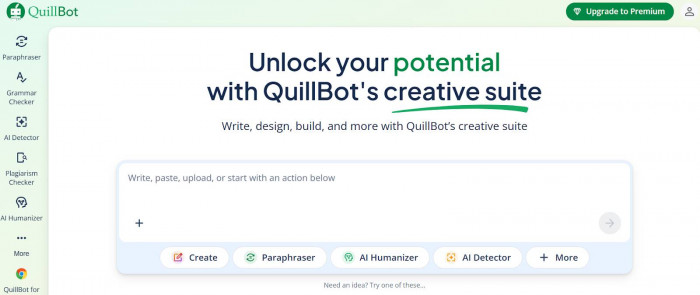
QuillBot is primarily designed as a paraphrasing and rewriting tool. It helps users take existing text and transform it into a new version while preserving the original meaning.
People commonly use QuillBot for:
1. paraphrasing essays or research notes
2. rewriting paragraphs for blogs or articles
3. Summarizing long texts
4. checking grammar and plagiarism
5. Improving clarity in academic writing
The platform focuses on rewriting efficiency, especially when users need to transform longer passages quickly.(https://quillbot.com/)
Wordtune
Wordtune works more like a real-time writing assistant that improves sentences as you write.
Instead of pasting a paragraph for rewriting, Wordtune typically helps users:
1. rephrase individual sentences
2. improve clarity
3. adjust tone (casual, formal, shortened, expanded)
4. improve flow and readability
Because of this design, Wordtune is often used during everyday writing tasks such as emails, documents, or messaging platforms.(https://www.wordtune.com/)

Core Writing Capabilities Compared
Both tools improve writing, but they focus on slightly different capabilities.
| Feature | QuillBot | Wordtune |
| Paraphrasing Tool | Advanced paraphrasing modes | Basic sentence rewriting |
| Grammar Correction | Yes | Yes |
| Summarizer | Built-in summarizer | Limited summarization |
| Tone Adjustment | Limited | Strong tone adjustments |
| Sentence Expansion/Shortening | Basic | Advanced controls |
| AI Rewrite Suggestions | Yes | Yes |
| Plagiarism Checker | Available (premium) | Not included |
| Translation Support | Yes | Limited |
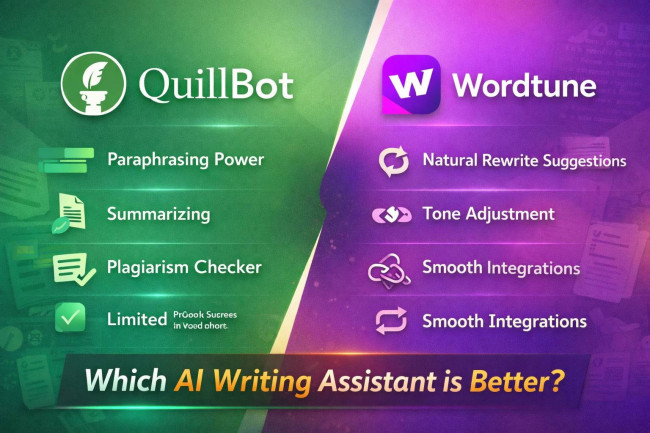
The key difference is that QuillBot specializes in paraphrasing, while Wordtune focuses on sentence-level improvements.
How Each Tool Improves Writing Clarity
The biggest practical difference appears in how the tools rewrite text.
QuillBot’s Approach
QuillBot works by rewriting entire sentences or paragraphs using different paraphrasing modes.
Examples of modes include:
1. Standard
2. Fluency
3. Creative
4. Formal
5. Simple
These modes allow users to generate different versions of the same text quickly.
This makes QuillBot especially useful when:
1. Rewriting academic papers
2. Rephrasing research summaries
3. Generating alternative wording for blog content
However, sometimes the rewritten text may require manual editing to maintain natural flow.
Wordtune’s Approach
Wordtune focuses more on improving sentence quality rather than replacing it entirely.
When users highlight a sentence, Wordtune suggests multiple alternatives that often sound more natural.
Typical improvements include:
1. clearer phrasing
2. shorter sentences
3. expanded explanations
4. tone changes
Because suggestions are usually subtle, Wordtune often feels like a smart editor rather than a paraphrasing engine.
Interface and Ease of Use
Both platforms are simple to use, but they feel different.
QuillBot Interface
QuillBot uses a two-column editor layout.
Users paste text on the left side, and the rewritten version appears on the right.
This design works well for rewriting larger blocks of text.
Beginners typically find it easy to understand, though it feels more like a tool you open intentionally for rewriting tasks.
Wordtune Interface
Wordtune integrates directly into writing environments.
Users often interact with Wordtune through:
1. browser extensions
2. Google Docs integration
3. email interfaces
Instead of opening a separate editor, Wordtune appears as rewrite suggestions within the document itself.
This makes it feel more natural for everyday writing.
Where Each Tool Works (Integrations)
Integration flexibility can influence which tool fits better into daily workflows.
QuillBot Integrations
QuillBot typically works through:
1. browser extensions
2. Google Docs
3. Microsoft Word
4. web editor
Most users paste text into the tool when they need to rewrite content.
Wordtune Integrations
Wordtune focuses on real-time writing environments.
It integrates with:
1. Google Docs
2. Gmail
3. Slack
4. LinkedIn
5. web browsers
This allows users to rewrite sentences directly while composing emails or messages.
Performance for Different Writing Tasks
Different writing scenarios highlight different strengths.
| Writing Task | Better Tool |
| Academic paraphrasing | QuillBot |
| Essay rewriting | QuillBot |
| Blog writing | Slight edge to QuillBot |
| Email writing | Wordtune |
| Marketing copy | Wordtune |
| Research summaries | QuillBot |
| Everyday writing | Wordtune |
The choice depends largely on whether users are rewriting content or improving live writing.
Content Accuracy and Rewrite Quality
Both tools perform well, but their rewriting styles differ.
QuillBot
QuillBot tends to generate larger structural changes in sentences. This is helpful when rewriting content but can occasionally introduce phrasing that feels less natural.
Wordtune
Wordtune typically generates smaller but more natural edits, making sentences clearer without drastically changing structure.
Because of this, Wordtune often feels more reliable for professional communication.
Pricing Comparison
Both tools offer free plans, but restrict features differently.
| Plan Type | QuillBot | Wordtune |
| Free Plan | Unlimited paraphrasing with word limits | Limited rewrites per day |
| Premium Plan | Unlimited paraphrasing and modes | Unlimited rewrites |
| Additional Features | Plagiarism checker, summarizer | Tone adjustments and expansions |
| Monthly Price Range | Lower cost | Slightly higher cost |
In general:
- QuillBot offers stronger value for heavy paraphrasing
- Wordtune offers better value for daily writing assistance
What Premium Plans Unlock
Upgrading unlocks additional features in both tools.
QuillBot Premium
Premium typically provides:
1. unlimited paraphrasing
2. access to all rewriting modes
3. plagiarism detection
4. higher word limits
5. faster processing
These upgrades are particularly useful for students and content creators working with long texts.

Wordtune Premium
Premium plans unlock:
1. unlimited rewrite suggestions
2. tone adjustments
3. sentence expansion
4. advanced writing suggestions
This is helpful for professionals who rely on Wordtune for constant writing support throughout the day.

Which Tool Works Best for Different Users
Students
QuillBot is often more useful for students because it helps with paraphrasing essays, rewriting research notes, and summarizing long documents.
Bloggers
Bloggers may benefit from QuillBot when rewriting content drafts or improving article structure.
Marketers
Wordtune can be better for marketers who need to polish short-form copy such as ads, emails, or social posts.
Professionals
Wordtune works well for professionals who frequently write emails, reports, or presentations.
Researchers
QuillBot is useful for summarizing papers and paraphrasing research findings.
At the End
Choosing between QuillBot and Wordtune ultimately depends on how you write. If your workflow involves rewriting large sections of text or paraphrasing research material, QuillBot tends to be more useful. If your goal is to refine sentences while writing emails, documents, or posts, Wordtune often feels like a smoother companion.







Comments