
What You Actually Need Instead of Notion
If you are replacing Notion, the real choice is not “which app has docs, databases, and AI.” The real choice is what kind of friction you are willing to live with.
If speed matters more than endless customization, Notion is often the wrong tool. ClickUp and Slite both trade some flexibility for faster day-to-day execution. If your team needs stronger structure, Airtable and Confluence make more sense because they impose clearer logic on how work or knowledge gets organized. Coda sits in the middle. It can feel as flexible as Notion, but it behaves more like a doc-app hybrid, which helps when workflows need more action and less decoration.
Team adoption time matters more than product demos suggest. Notion often looks universally friendly because the editor is clean. In practice, advanced workspaces need training. Airtable has a sharper database learning curve. ClickUp has more interface clutter. Confluence is easier for teams already living in Jira, but less appealing for anyone outside that orbit. Slite is easiest to adopt, but it is also the narrowest replacement in this group.
So the question is simple: do you want a system you can shape endlessly, or one your team will actually use without a workshop?
Tools That Actually Replace Notion
ClickUp
ClickUp is what many teams migrate to when they realize they were using Notion as a project hub more than a knowledge hub. It is far more structured, more operational, and much less dependent on custom workspace design. That makes it attractive for startups and cross-functional teams that got tired of maintaining Notion dashboards that looked polished but behaved like static paperwork. (ClickUp)
It beats Notion when execution matters more than elegance. Tasks, views, workload planning, and process-driven collaboration are stronger in ClickUp than in Notion’s native setup. But ClickUp also brings its own tax. The interface is denser, the setup is still substantial, and performance complaints remain common in user reviews. You are often trading Notion’s “build anything” friction for ClickUp’s “there is a setting for everything” friction. G2 users rate ClickUp 4.7/5, while Capterra lists it at 4.6/5, and Trustpilot feedback is available but not surfaced clearly enough in search results for a reliable number here.
In daily use, ClickUp reduces the need to invent your own work system. That is the good news. The bad news is that teams can still overbuild inside it. It reduces Notion-style ambiguity, but it does not fully eliminate complexity.

| ClickUp | Value |
| Positioning | Task-first workspace that also handles docs and internal collaboration |
| Best switchers | Startups, operators, and teams using Notion as a project system |
| Beats Notion at | Task execution, views, workflows, operational structure |
| Fails at | Interface overload, setup complexity, occasional speed issues |
| Pricing | Free; Unlimited $7/user/month billed yearly; Business $12/user/month billed yearly; Enterprise custom |
| Ratings | G2 4.7/5; Capterra 4.6/5; Trustpilot Not listed |
Airtable
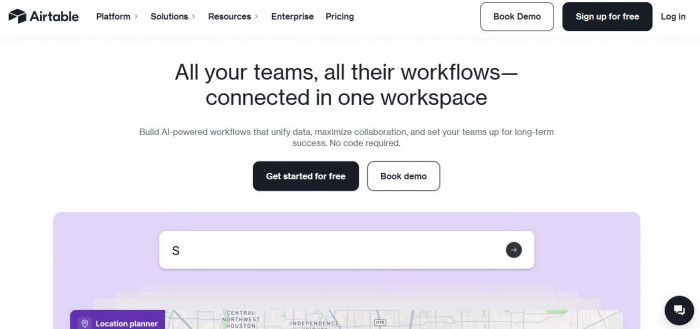
Airtable is what Notion users move to when their “workspace” is really a database with a nice front end. It is less romantic than Notion and much more disciplined. If your team runs editorial pipelines, CRM-like processes, operations tracking, or structured internal workflows, Airtable feels stronger because its logic is clearer and its data model is harder to fake. (Airtable)
It beats Notion on database integrity, interfaces, automations, and operational clarity. The catch is that Airtable can feel cold if your team wants narrative docs, wikis, and lightweight brainstorming in the same place. It is also expensive once multiple people need editing access. Airtable’s official pricing lists Team at $20/user/month billed annually and Business at $45/user/month billed annually. G2 lists Airtable at 4.6/5, and Capterra content places it around 4.7/5. Trustpilot has visible reviews, but the aggregate rating is not cleanly surfaced in the search result snippet I found, so I would not pin a number on it.
The workflow shift is immediate. Airtable forces better structure. That is either a relief or a limitation, depending on what you wanted Notion to be. For operations-heavy teams, this is usually a relief. For people who loved freeform docs with some database power mixed in, it can feel rigid.
| Airtable | Value |
| Positioning | Database-first workspace for structured operations |
| Best switchers | Ops teams, content operations, CRM/process-heavy users |
| Beats Notion at | Structured data, interfaces, automations, operational clarity |
| Fails at | Narrative docs, wiki feel, cost scaling by seat |
| Pricing | Free; Team $20/user/month billed annually; Business $45/user/month billed annually; Enterprise Scale custom |
| Ratings | G2 4.6/5; Capterra 4.7/5; Trustpilot Not listed |
Coda
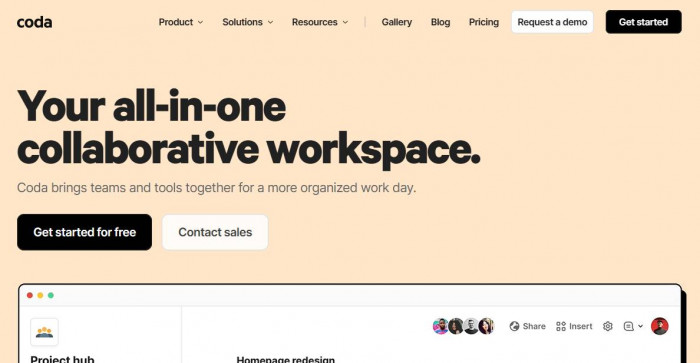
Coda is the closest thing to a philosophical alternative to Notion. It still believes documents can become systems, but it pushes much harder into formulas, actions, buttons, tables, and app-like behavior. Notion feels like pages with databases attached. Coda feels like programmable docs. That difference matters. (Coda)
It beats Notion when teams need documents that actually do things, not just describe things. You can build decision hubs, meeting systems, lightweight tools, and interactive workflows without leaving the doc. But Coda also asks more from the user. The learning curve is real, and its maker-based pricing works beautifully if only a few people build, but it becomes less compelling if a whole team turns into makers. Official pricing lists Pro at $10 per Doc Maker per month and Team at $30 per Doc Maker per month. Capterra lists Coda at 4.6/5, while Trustpilot shows a 4-star rating from a very small number of reviews, which makes it directionally useful but not especially strong evidence. G2 review pages summarize user sentiment positively, though the search result I found did not cleanly expose the aggregate score in the snippet.
In daily use, Coda replaces friction with logic. That is great for teams that enjoy building systems, and bad for teams that already found Notion too demanding. It is powerful, but it is not the escape hatch for people tired of configuring workspaces.
| Coda | Value |
| Positioning | Doc-first workspace with app-like logic and automation |
| Best switchers | Systems thinkers, ops builders, teams wanting interactive docs |
| Beats Notion at | Actionable docs, logic, formulas, process-heavy collaboration |
| Fails at | Learning curve, maker pricing complexity, overbuilding risk |
| Pricing | Free; Pro $10/Doc Maker/month; Team $30/Doc Maker/month; Enterprise custom |
| Ratings | G2 Not listed; Capterra 4.6/5; Trustpilot 4.0/5 |
Slite
Slite is what happens when a team stops pretending it needs an all-in-one workspace and admits it mostly needs a knowledge base people will actually read. It is cleaner, faster to adopt, and less mentally expensive than Notion. That is its entire appeal. (Slite)
It beats Notion on documentation clarity, onboarding simplicity, and lower workspace entropy. It fails when teams need stronger project structure, richer databases, or custom workflow logic. Official pricing lists Standard at $8 per user per month billed yearly and Knowledge Suite at $20 per user per month billed yearly. G2 lists Slite at 4.6/5, and Trustpilot shows 3.7/5. I did not find a reliable Capterra aggregate in search results, so that stays unlisted here.
The workflow shift is simple: less freedom, less mess. That is why some teams love it and others bounce off it. Slite is not trying to replace every strange custom system you built in Notion. It is trying to stop your company wiki from becoming unreadable.

| Slite | Value |
| Positioning | Documentation-first workspace focused on internal knowledge |
| Best switchers | Remote teams, knowledge-heavy teams, companies wanting a cleaner wiki |
| Beats Notion at | Adoption speed, doc clarity, lower setup burden |
| Fails at | Databases, task depth, custom systems |
| Pricing | Standard $8/user/month billed yearly; Knowledge Suite $20/user/month billed yearly; Enterprise custom |
| Ratings | G2 4.6/5; Capterra Not listed; Trustpilot 3.7/5 |
Confluence
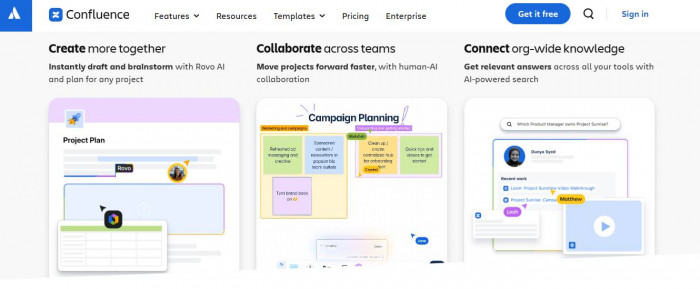
Confluence is the mature, less glamorous choice. People switch to it when they want knowledge management with rules, permissions, and stronger organizational discipline, especially if the company already lives inside Atlassian. It is not charming, but it is dependable at scale. (Confluence)
It beats Notion on governance, permissions, and enterprise-friendly documentation workflows. It also integrates naturally with Jira, which makes it more operational than many Notion workspaces end up being. Where it fails is user warmth. Confluence can feel corporate, over-structured, and visually dull. Reviews also point to sluggishness with larger content sets. Atlassian’s pricing page lists Standard at $5.42 per user per month and Premium at $10.44 per user per month, with a free tier for up to 10 users. Capterra lists Confluence at 4.5/5. G2 sentiment is strong on collaboration and knowledge centralization, though the snippet I found did not expose a clean product-specific aggregate score. Trustpilot results refer to Atlassian broadly rather than Confluence specifically, so I am not assigning a tool-level Trustpilot score.
Daily usage changes in a predictable way. Teams stop improvising and start standardizing. That usually improves knowledge hygiene, but it can also make the workspace feel less personal and less adaptable than Notion.
| Confluence | Value |
| Positioning | Documentation-first team workspace with stronger governance |
| Best switchers | Engineering teams, Jira-heavy orgs, process-driven companies |
| Beats Notion at | Permissions, structure, governance, Atlassian ecosystem fit |
| Fails at | Visual warmth, flexibility, occasional performance complaints |
| Pricing | Free for up to 10 users; Standard $5.42/user/month; Premium $10.44/user/month; Enterprise custom |
| Ratings | G2 Not listed; Capterra 4.5/5; Trustpilot Not listed |
Side-by-Side Comparison That Actually Helps Decision-Making
| Tool | Starting Price | Best For | Biggest Weakness | Rating Avg |
| ClickUp | $7/user/month | Teams replacing Notion as a project system | Interface complexity | 4.65 |
| Airtable | $20/user/month | Structured ops and database-heavy workflows | Cost scaling and weaker doc feel | 4.65 |
| Coda | $10/Doc Maker/month | Interactive docs and custom internal systems | Learning curve | 4.3* |
| Slite | $8/user/month | Cleaner documentation and faster adoption | Narrower scope | 4.15* |
| Confluence | $5.42/user/month | Structured team documentation at scale | Corporate feel and slower UX | 4.5* |
*Average uses only the ratings with reliable surfaced numbers above, not missing values.
Cost vs Workflow Efficiency
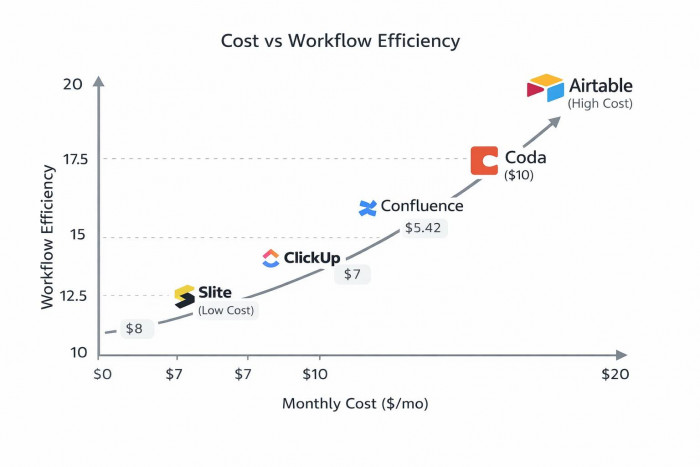
That curve matters because raw price tells only half the story. Airtable can become expensive quickly, but it also reduces operational mess for structured teams. ClickUp is affordable at entry level, but teams may spend more time on setup and change management. Coda can be cost-efficient if “maker billing” fits your org. Slite is the least ambitious and often the easiest to justify. Confluence is relatively cheap to start, but only really shines when the team actually wants a governed documentation system.
Final Decision Based on Usage
For solo users, Coda or Slite usually make the most sense. Coda if you want a smart system that can grow into workflows. Slite if you mainly want clean notes and a usable personal or small-team knowledge base.
For startups, ClickUp is often the most practical switch because it gives more operational structure without enterprise heaviness, while Airtable is stronger if the company runs on process tables, approvals, and internal databases rather than task boards.
For teams scaling operations, Confluence and Airtable are the safer bets. Confluence is better for governed documentation and teams already close to Jira. Airtable is better for structured operational systems. If the team still wants a creative, buildable workspace and has people willing to maintain it, Coda deserves a serious look.
If you want the blunt version, it is this: replace Notion with ClickUp when work execution is the problem, with Airtable when structure is the problem, with Slite when documentation hygiene is the problem, with Confluence when scale and governance are the problem, and with Coda when you still want flexibility but need your docs to act more like software.




Comments